For Promoters
Timetable, Guestlist and Crew Page in One Place
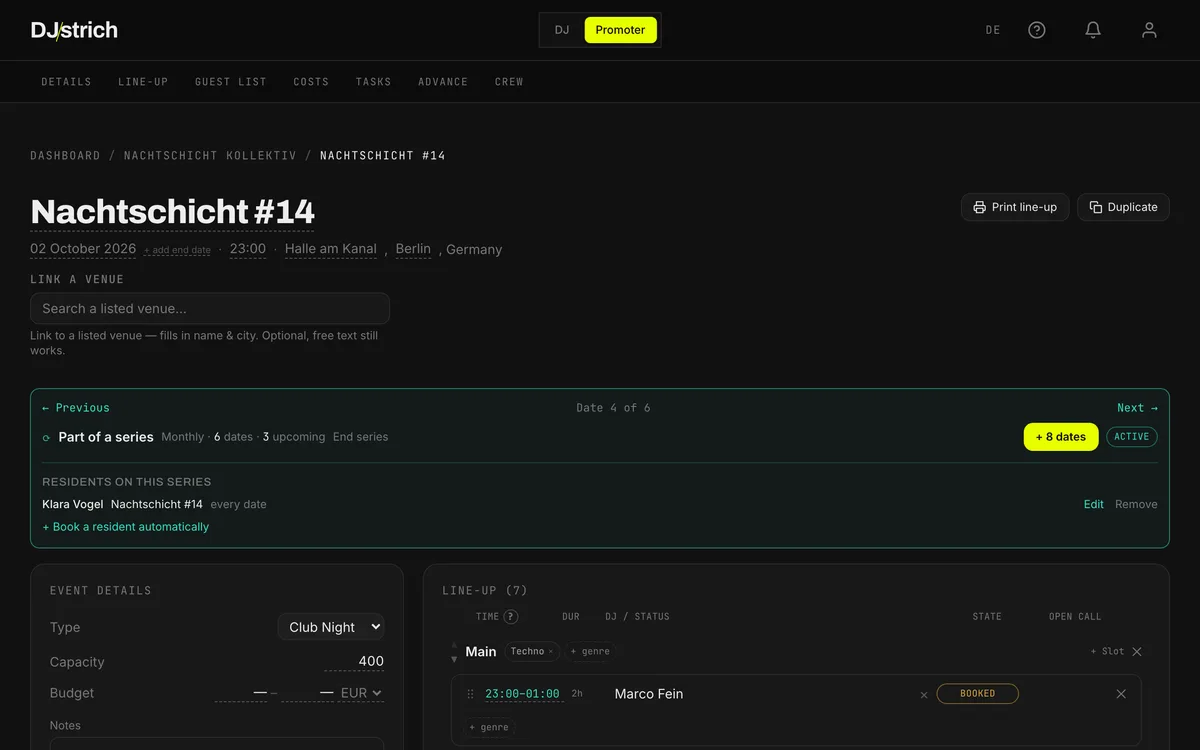
Your night runs off one page. Floors, set times, the line-up, the guestlist and the crew page sit in the same current version, so a change reaches everyone at once instead of five times by hand. It works on your first event, before anyone else in your city has an account.
Your Night Lives in Four Apps, and That Sucks
Running a night is not the hard part. Every piece of it ending up somewhere else is:
The Guestlist Is a Screenshot of a Note From a Sheet
Last updated: the day before yesterday. Whoever is on the door finds out first, and by then there is a queue.
"Who's Got the Current Timetable?"
Three versions, two WhatsApp groups, one truth. Nobody is sure which one is which.
Line-up's Done. Well, 60% Done.
Slots, times, yeses and nos, all in a notes app nobody else can see.
Set Times Changed. The Flyer Knows. The DJs Don't.
One shift at the top and you are retyping the same message to five people, hoping you did not miss one.
The night
Everything the Night Runs On, on One Page
You use these for every event, starting with the first one. None of them needs another crew or a single DJ on the platform.
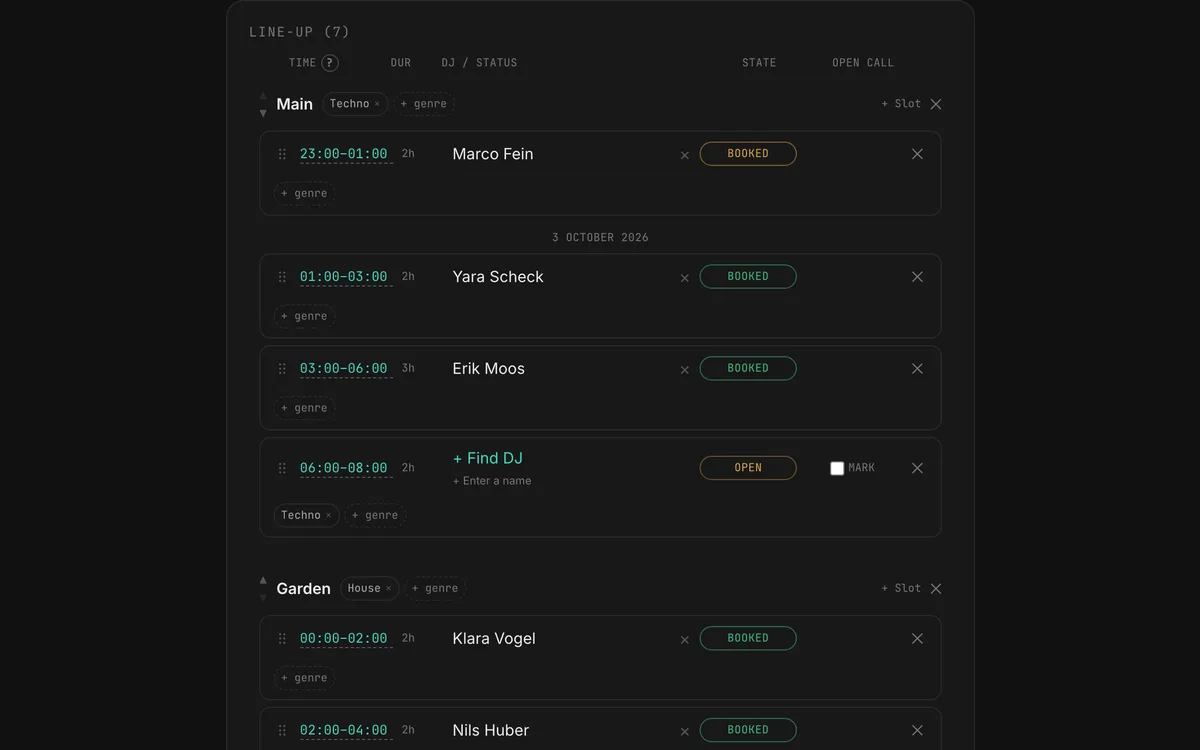
Line-up and Set Times on Every Floor
Lay out the floors, drag the DJs into their slots and move a set by dragging it. A confirmed DJ gets the new time and accepts it, so nobody retypes the timetable into five chats. Names that are not on the platform go in as plain text.
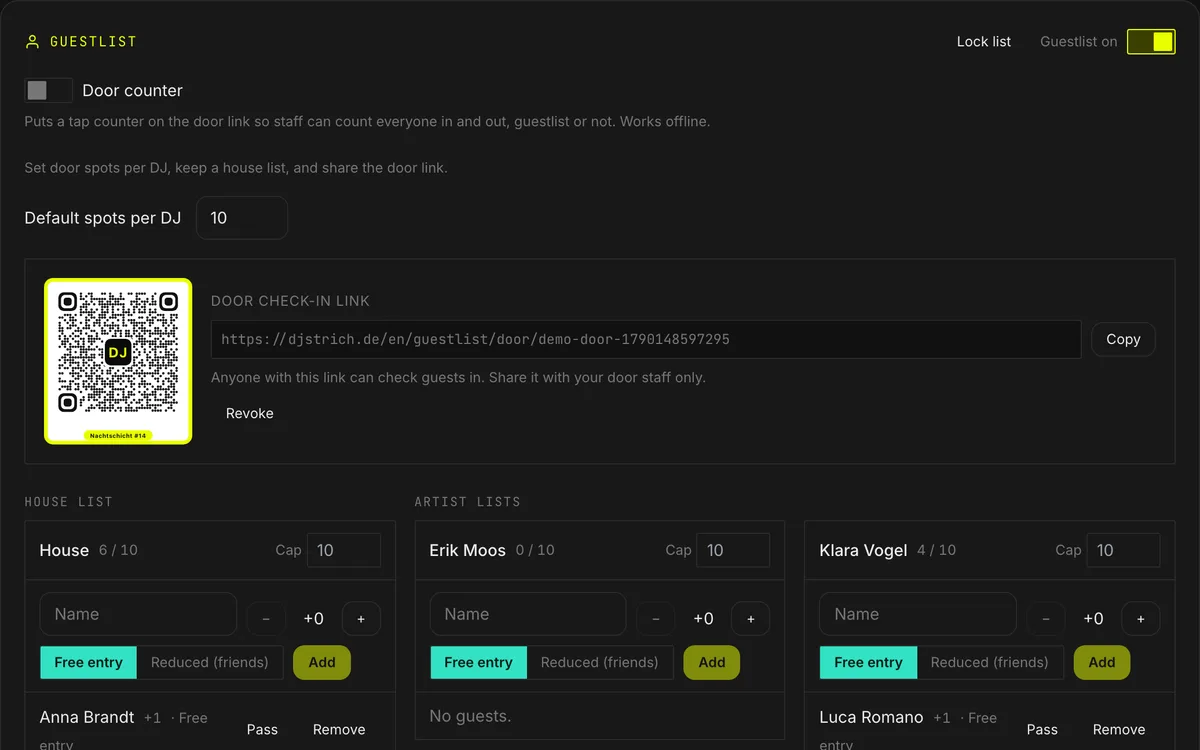
Guestlist With Caps
A house list plus one bucket per DJ. Each DJ adds their own guests from inside the booking, up to the cap you set, and nobody edits a shared sheet. When the list is final, you lock it.
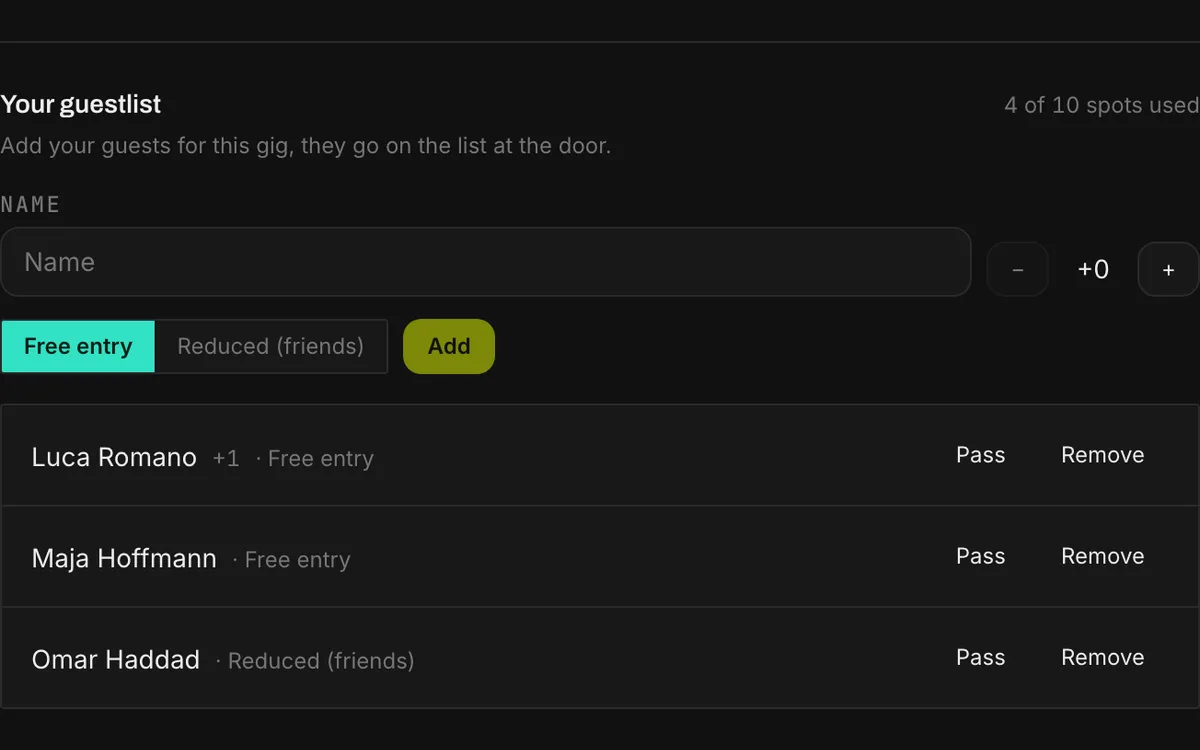
DJs Fill Their Own List
Once the guestlist is on, every confirmed DJ gets their own list inside the booking. They add names and plus-ones up to your cap, and the names land on your door list straight away.
Door Check-in Without a Login
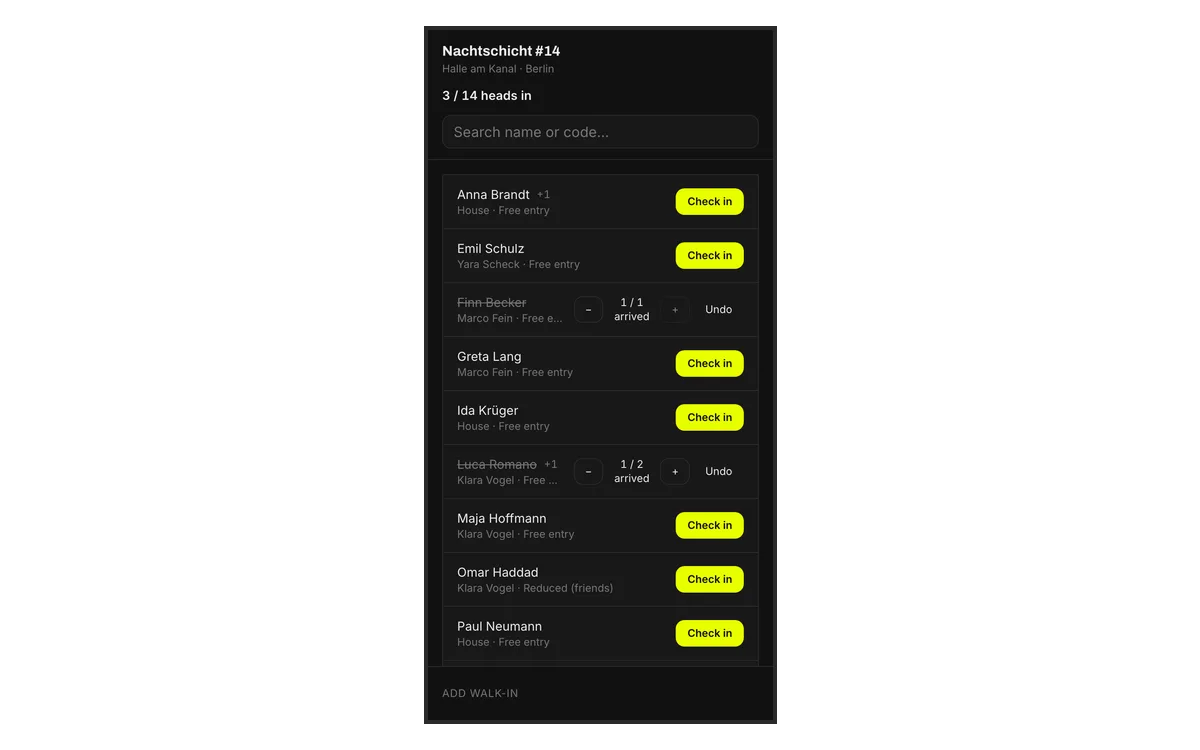
Send one link or QR code to whoever works the door. They see the live list on their phone, tick people off, add walk-ins and watch the head count. No account, no password of yours.
A Pass for Every Guest
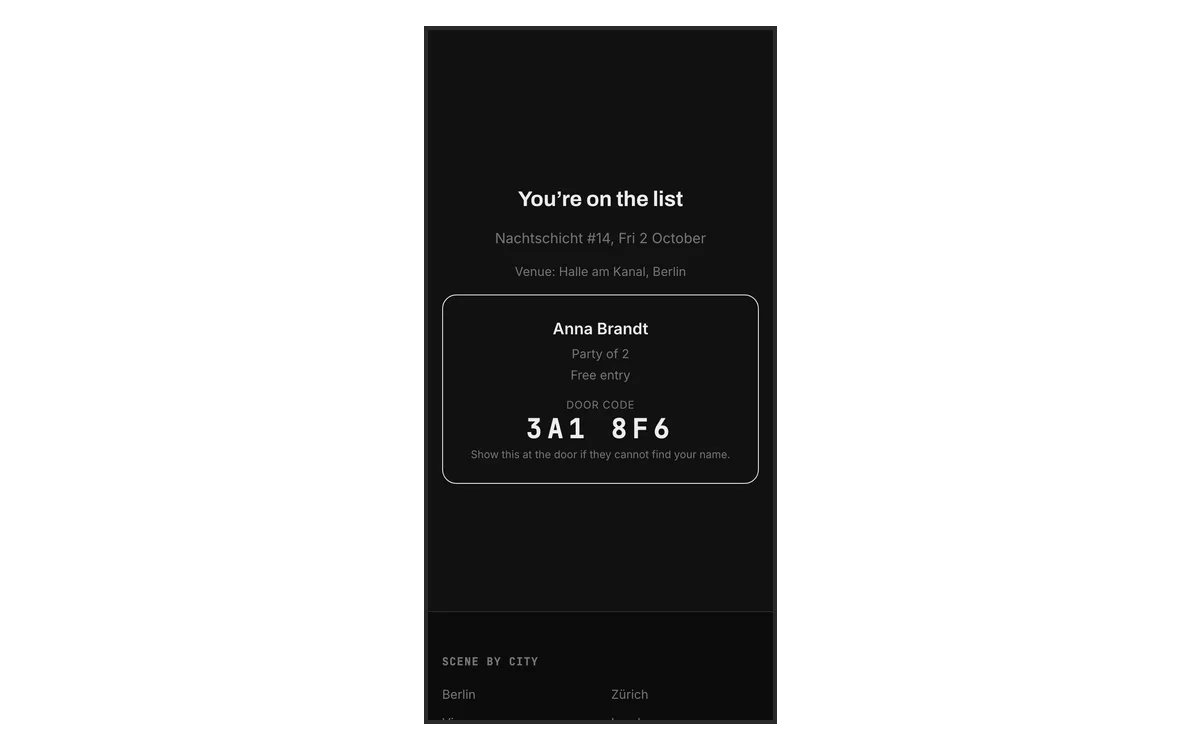
Send a guest their own pass: a link with the night, the venue and a short door code. If the name is hard to find at the door, the code finds the entry.
The Door Counter, Drawn Over the Night
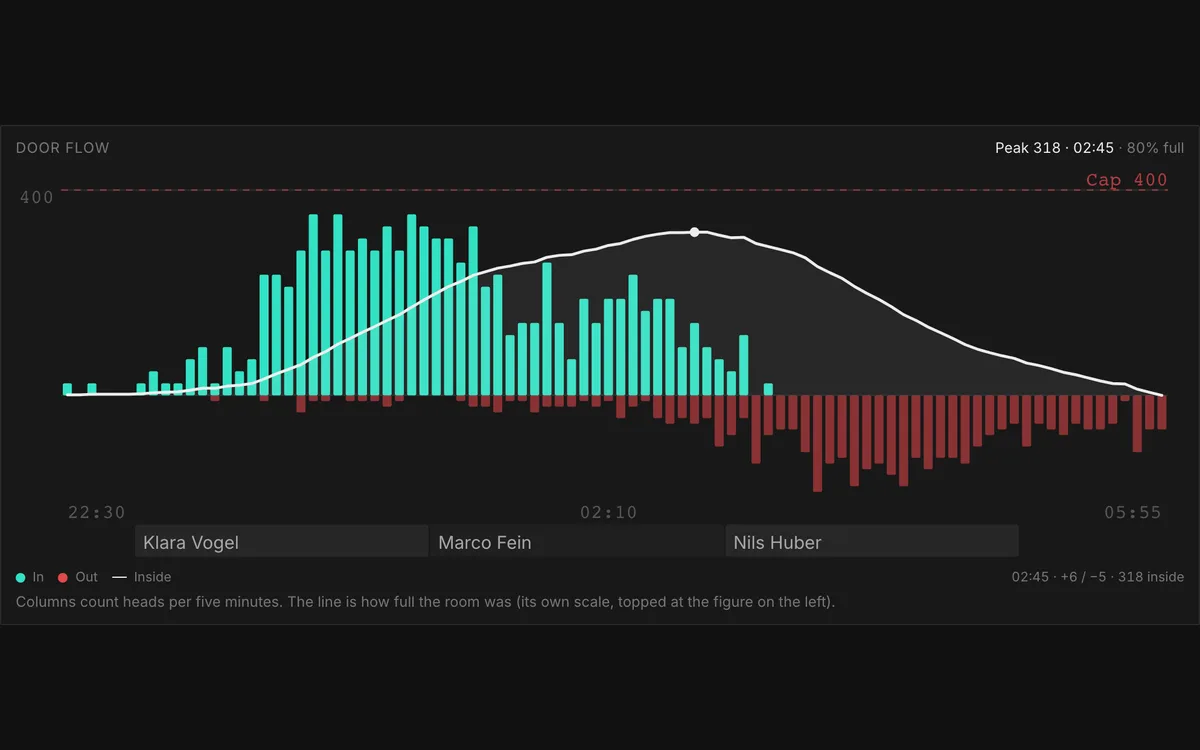
Switch on the counter and the door counts every arrival and every departure on the same link. The chart shows who came in and who left in five-minute steps, how full the room was and which DJ was playing at the time. After the night, the count becomes the attendance figure, and you confirm or correct it.
A Dashboard That Shows What Is Still Open
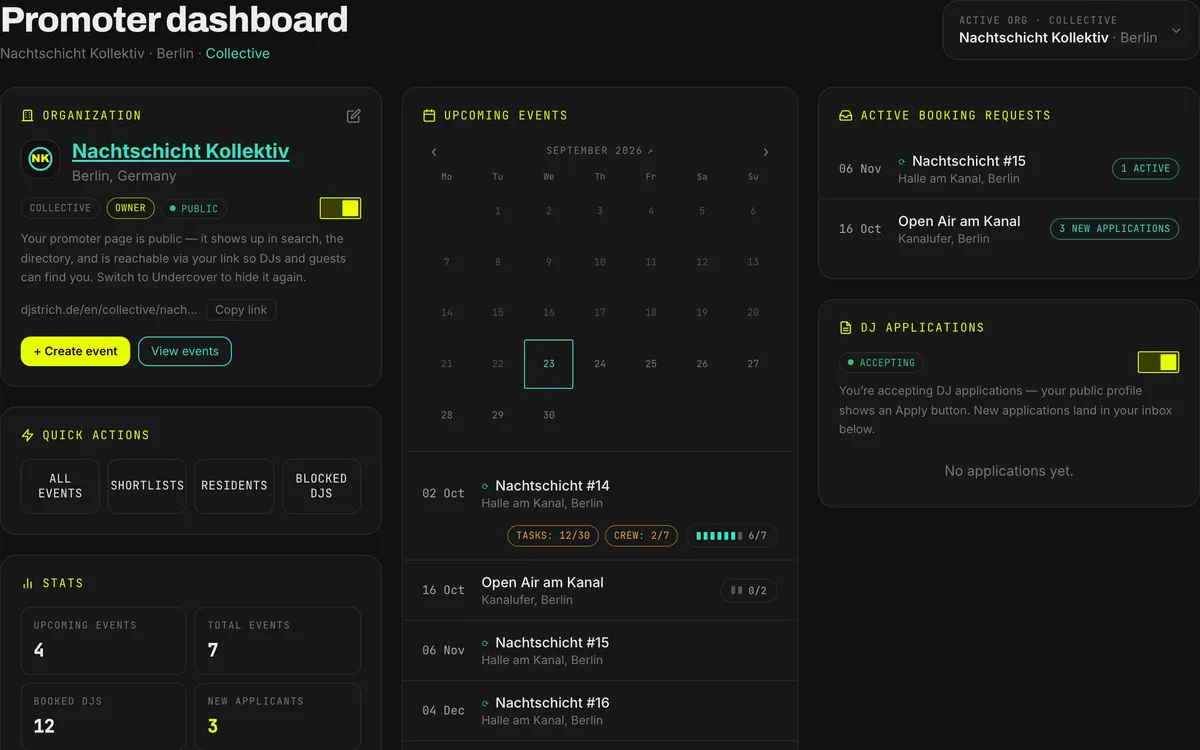
Your next nights in one list, each with how full the line-up is and how many tasks and shifts are still open. A click on a chip opens that part of the event.
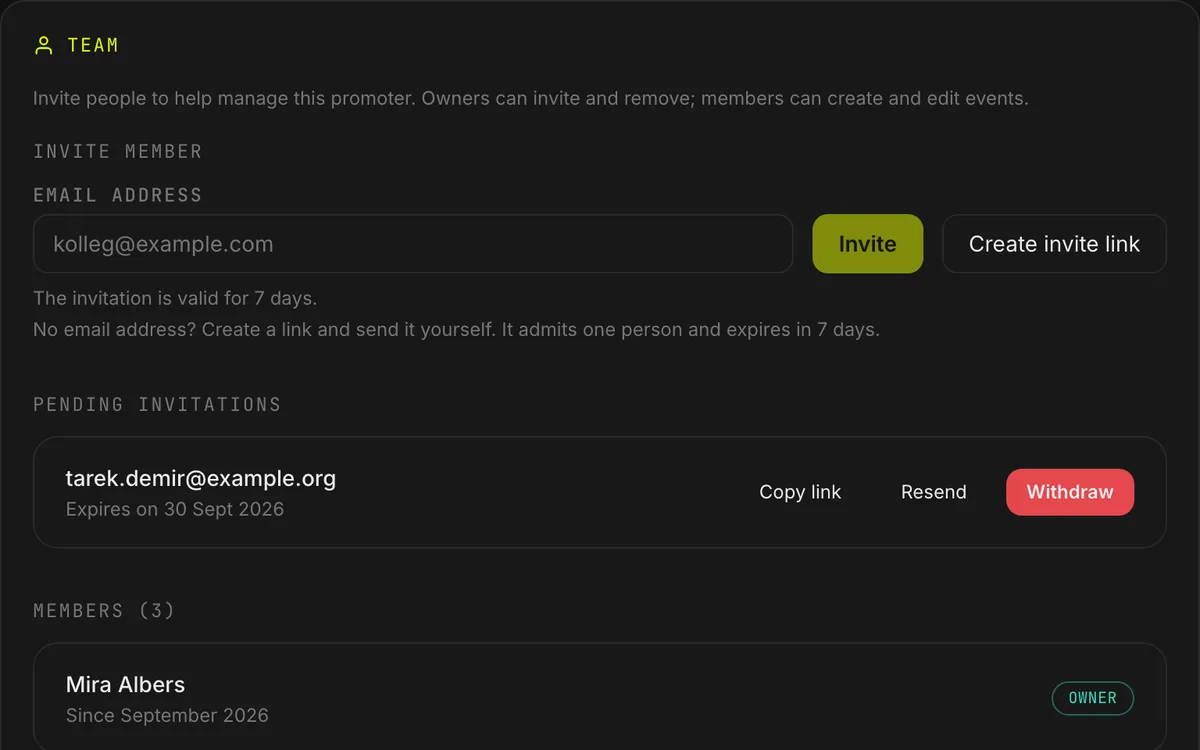
Team and Roles
Invite your crew by email. The link logs them in and adds them to the organisation in one click. Members work on everything, and owners also manage the team. Nobody shares a login.
Every week
The Work That Repeats
The monthly night, the regulars and the five years of history you already have.
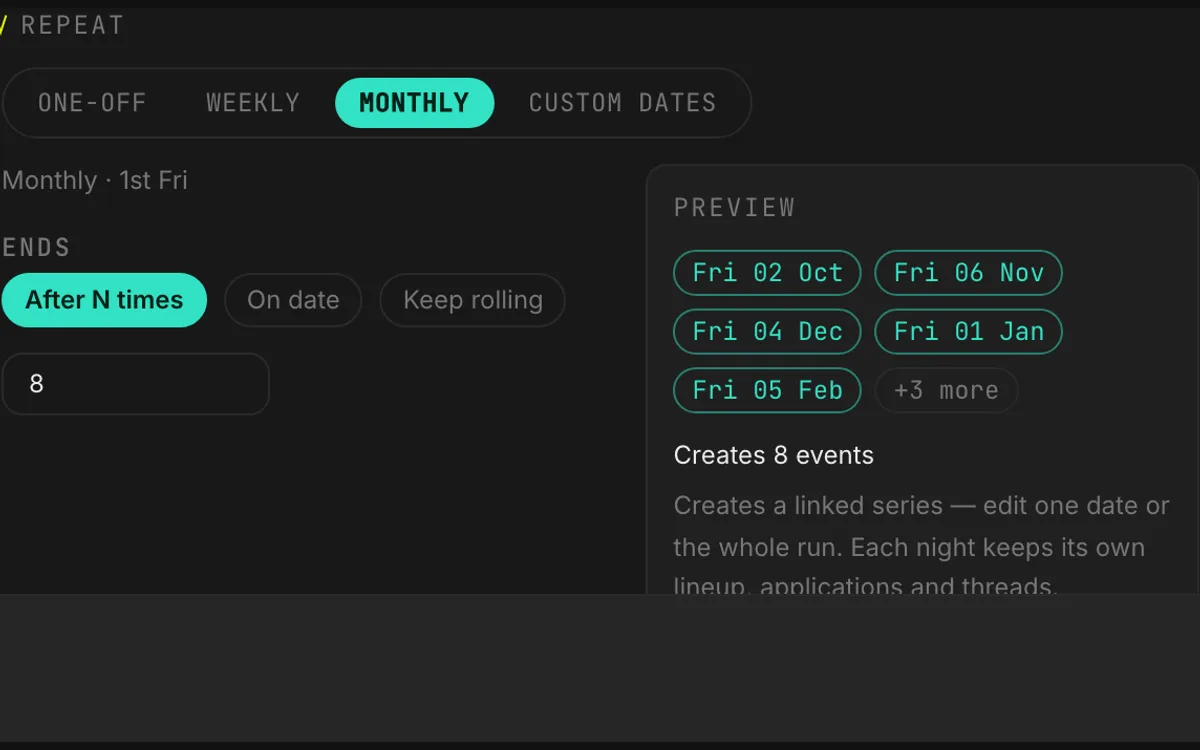
Recurring Series
Set the rhythm once, for example every first Saturday, and every date is created with its floors. Or duplicate last month's night with its slots and start from there.
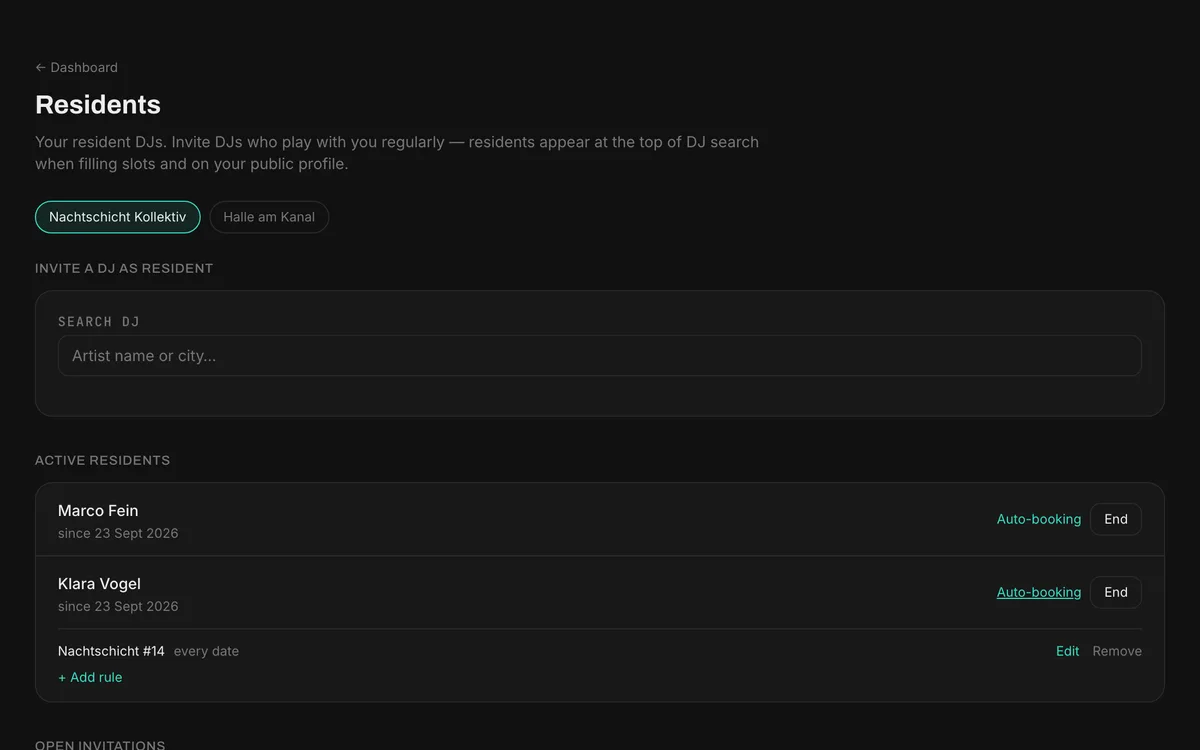
Resident DJs
Your regulars stay on the organisation, appear on your public page and come first in DJ search when you fill a slot. Choose which resident gets a request for which dates of a series. They still accept each one.
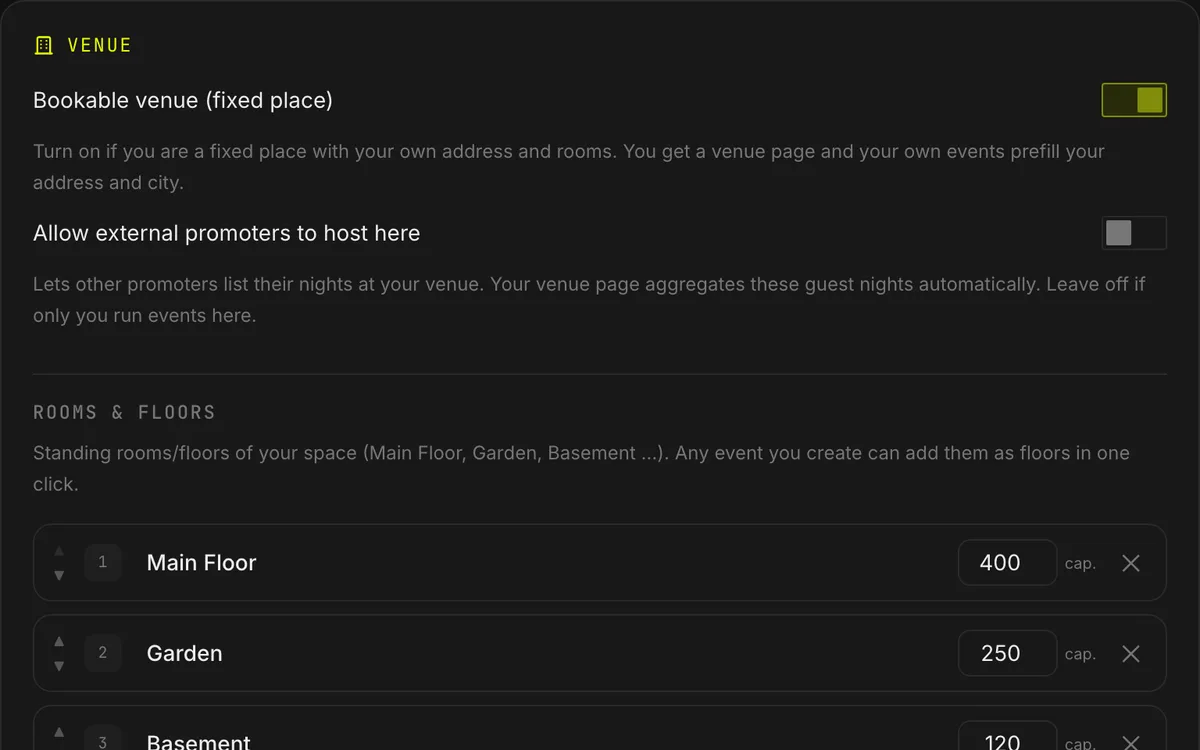
The Rooms of Your Venue
Clubs and venues save their rooms once, each with its capacity. Your own events get them as floors automatically, and events linked to your venue add them in one click.
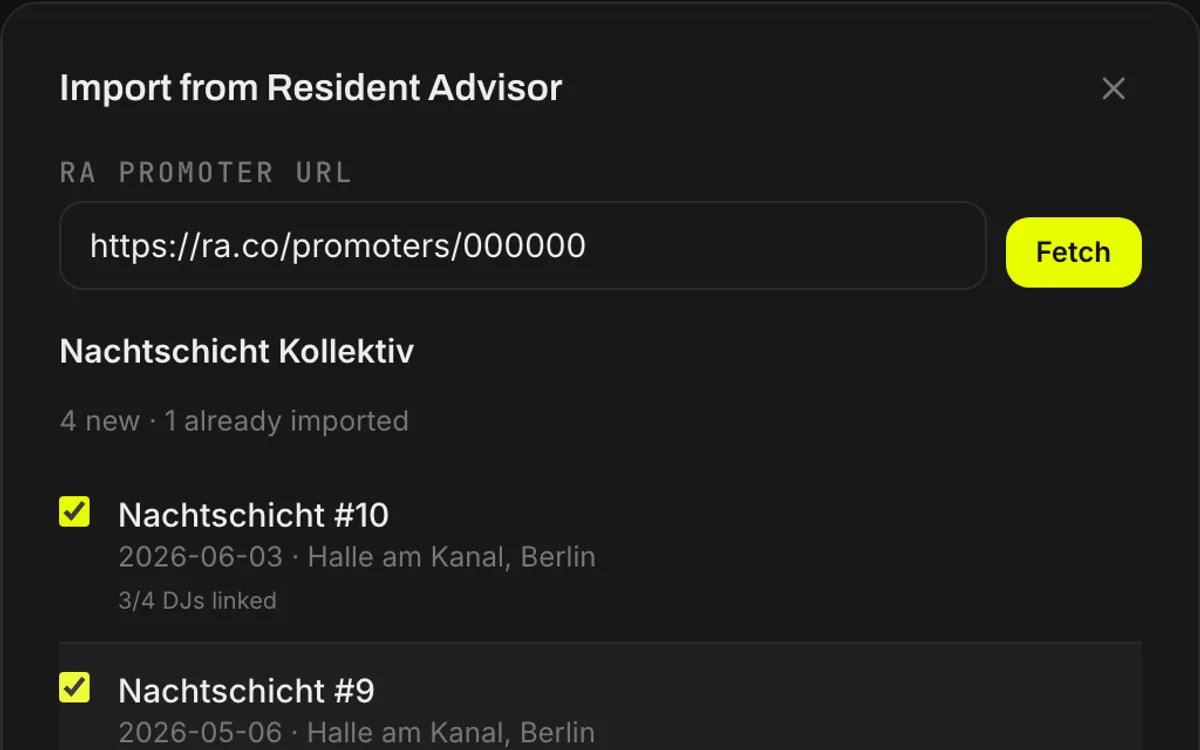
Import From Resident Advisor
Pull your past events and their line-ups from RA instead of typing in five years of nights. Your history is there on the first day.
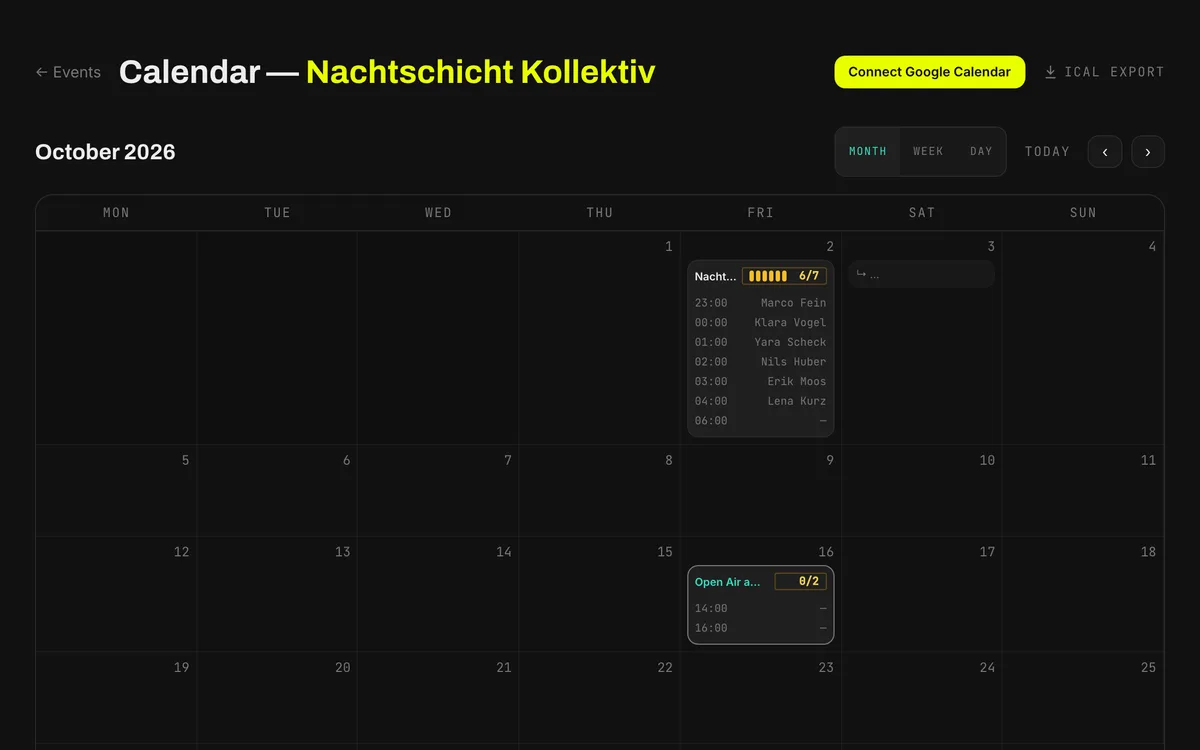
Calendar and Sync
Every event in one month view. Push the events into Google Calendar, subscribe to them in any calendar app, or export them as CSV.
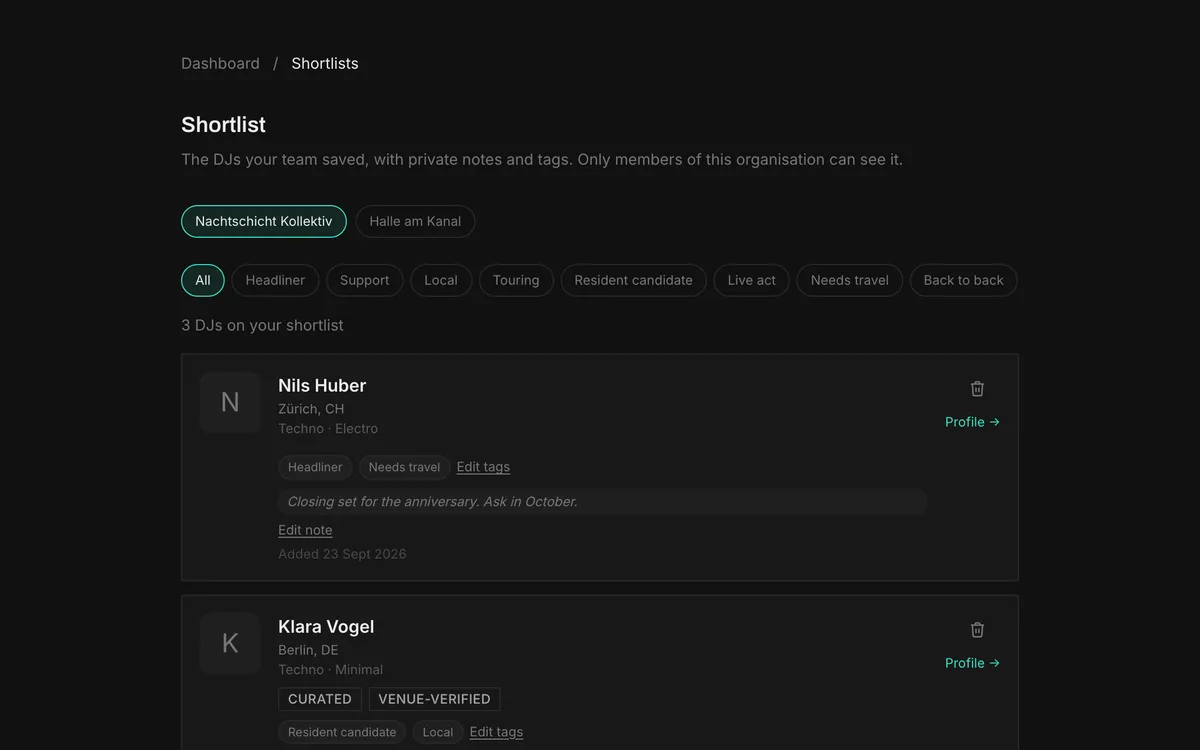
Shortlist With Notes
Keep the DJs you are thinking about on a shortlist, with tags like headliner or needs travel and a private note. Only your team sees it.
Pro-Tools
Crew Shifts, Costs, Tasks and Artist Care
Pro-Tools add four sections to the event page: a shift planner, a cost planner, a tasks manager and an advance sheet for every artist. A crew of three in a rented room can leave them off. A crew with a budget, hotel bookings and twelve people behind the bar keeps that work next to the line-up and the guestlist, instead of in spreadsheets and group chats.
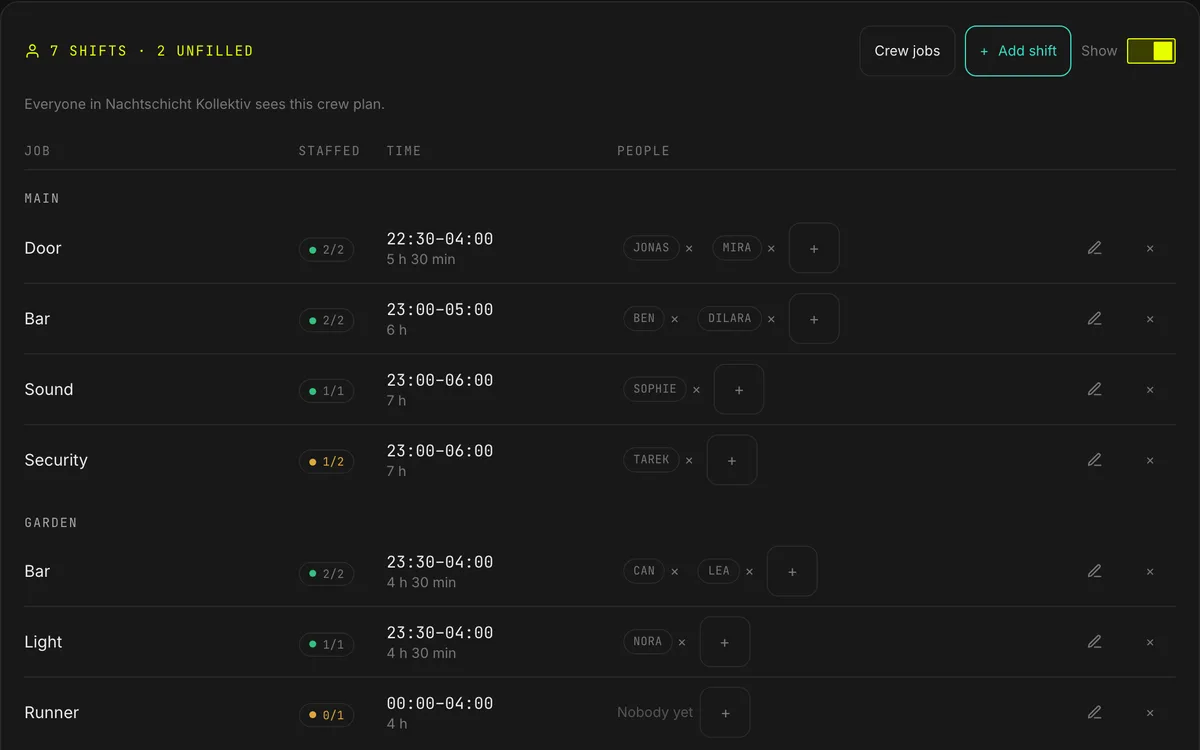
Shift Planner
Set up shifts by job, time and floor, put people on them, and see which posts are still empty. Bar staff don't need an account. The crew prints on the run sheet with the line-up.
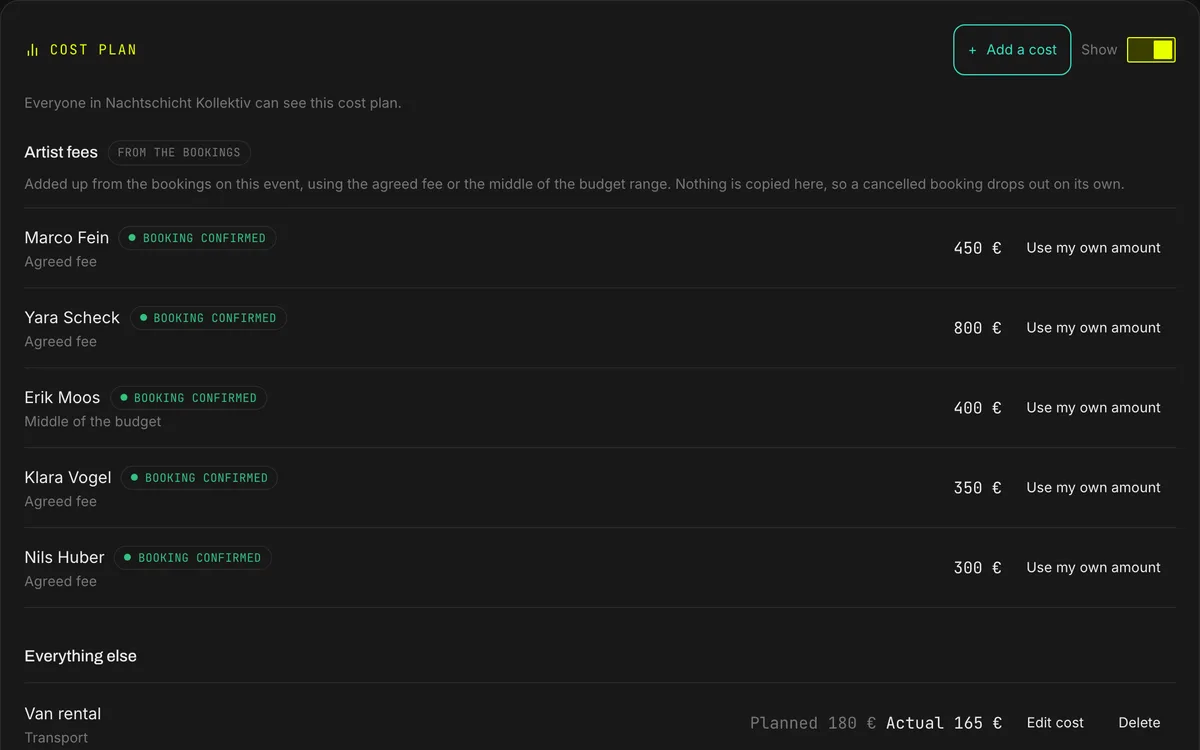
Cost Planner
Artist fees come straight from the bookings. You add the rest, such as the van, the flyers and the cleaning, each with a planned and an actual amount. Enter a door price and you get a rough count of the paying guests you need to break even. Only your team sees it.
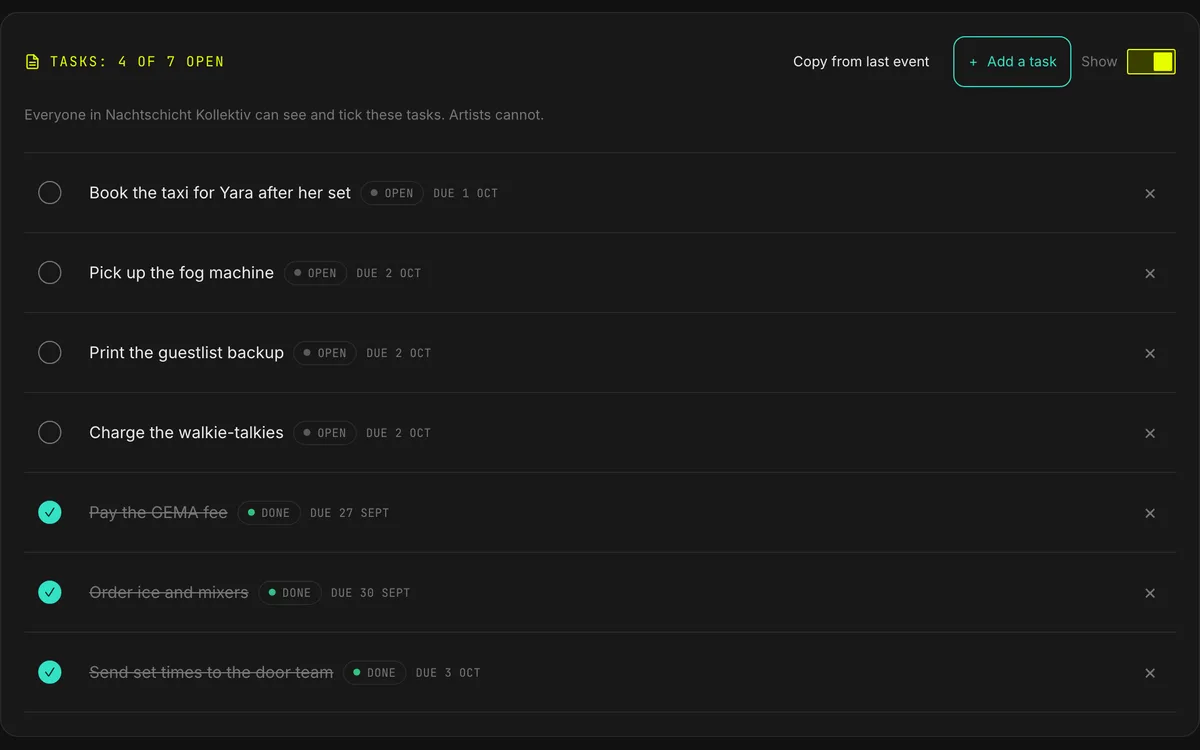
Tasks Manager
Order ice, pay the GEMA fee, pick up the fog machine. Every night has its own list with due dates, and anyone on your team can tick a task off. The next night can start with a copy of the last list.
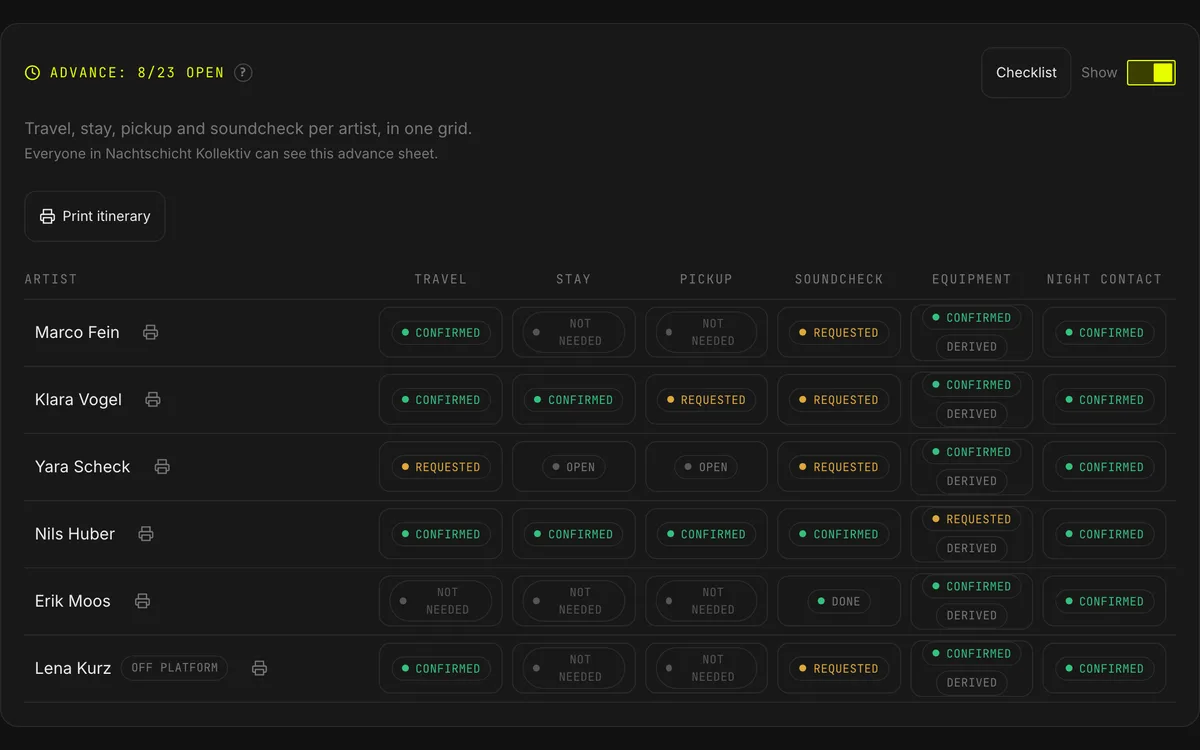
Artist Care / Advance Sheet
One grid holds travel, stay, pickup, soundcheck, equipment and the night contact for every artist on the bill. Each artist sees their own sheet and enters their own travel. We check each rider against your booth, and you can print the whole run.
Pro-Tools are off by default. One switch on any event page turns them on for your whole organisation. Switch them off and they disappear from every event; everything you entered stays saved.
Booking and DJs
The Part That Grows With Your City
Every DJ in search was read by a person before listing, and a DJ who stops answering drops in the ranking. Most of this needs DJs in your city, and it gets better as they join.
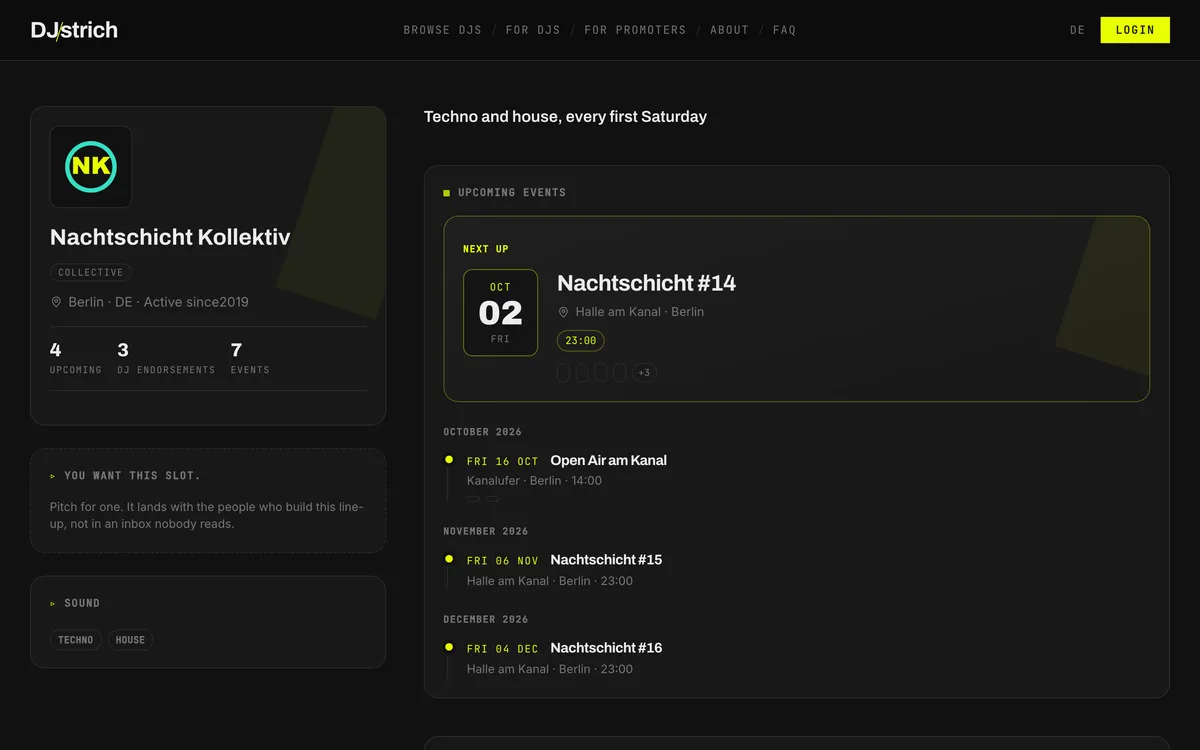
Your Own Public Promoter Page
A page you can send around: your logo, your upcoming events and every DJ who played for you, with their "would play here again" endorsements.
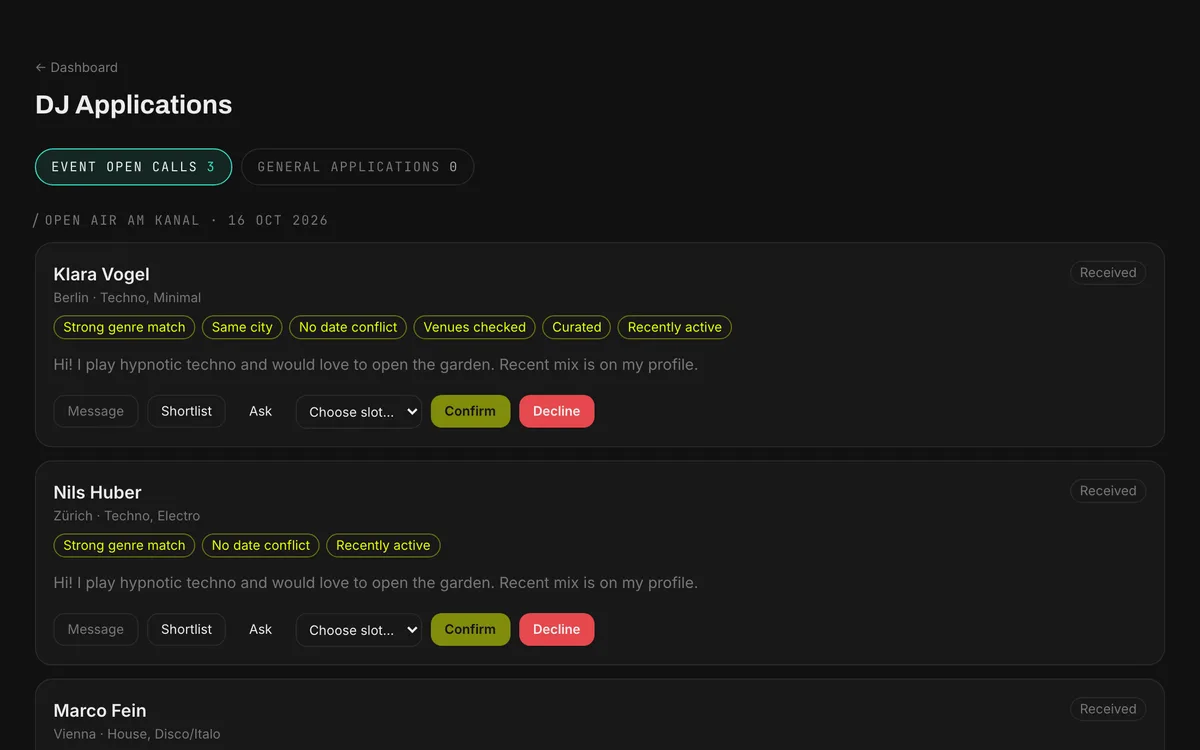
Open Calls
Still a slot free? Open the event for applications. DJs apply and arrive ranked by fit on genre, city, date and budget. You pick.
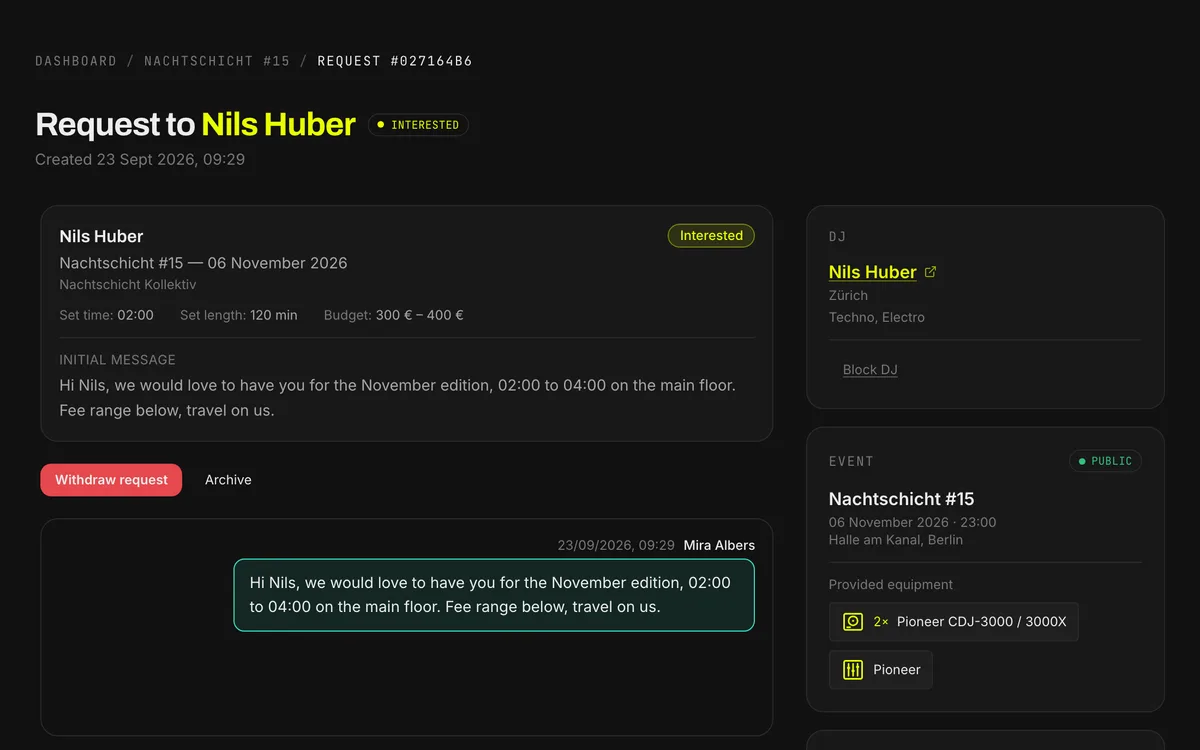
Booking Requests With a Status
Date, venue, budget and set time go out in one request. Every request shows where it stands: sent, viewed, interested, questions or unavailable. You stop chasing.
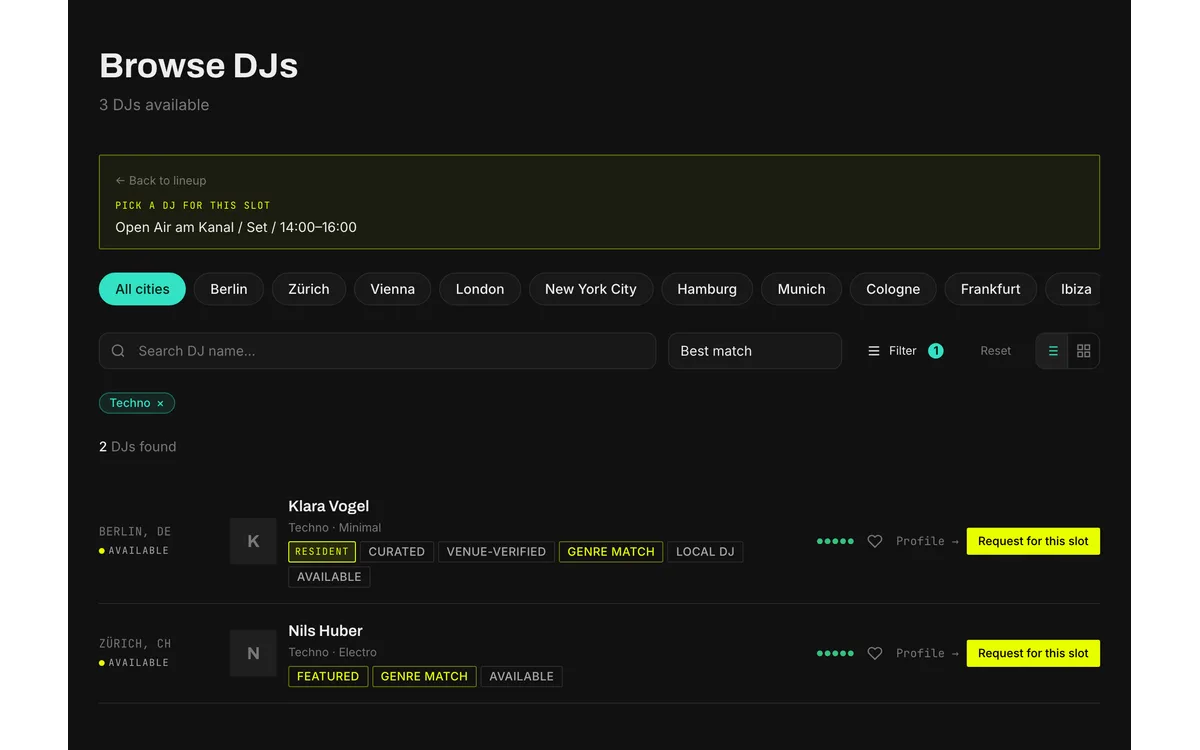
DJ Search and Fit Meter
Filter by city, genre and budget. When you fill a slot, every DJ gets a colour-coded fit meter for genre, city and profile quality.
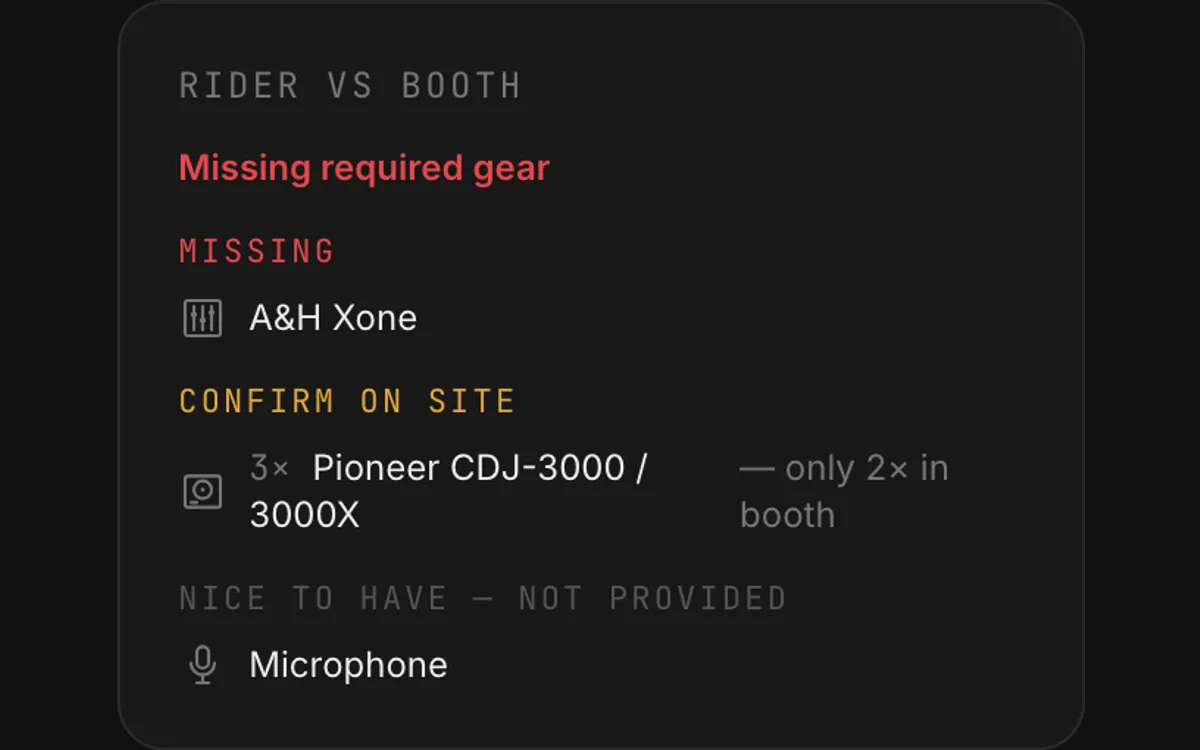
Rider Checked Against Your Booth
Store your booth once. Every DJ's rider is compared against it, so you hear about the missing CDJ before the night.
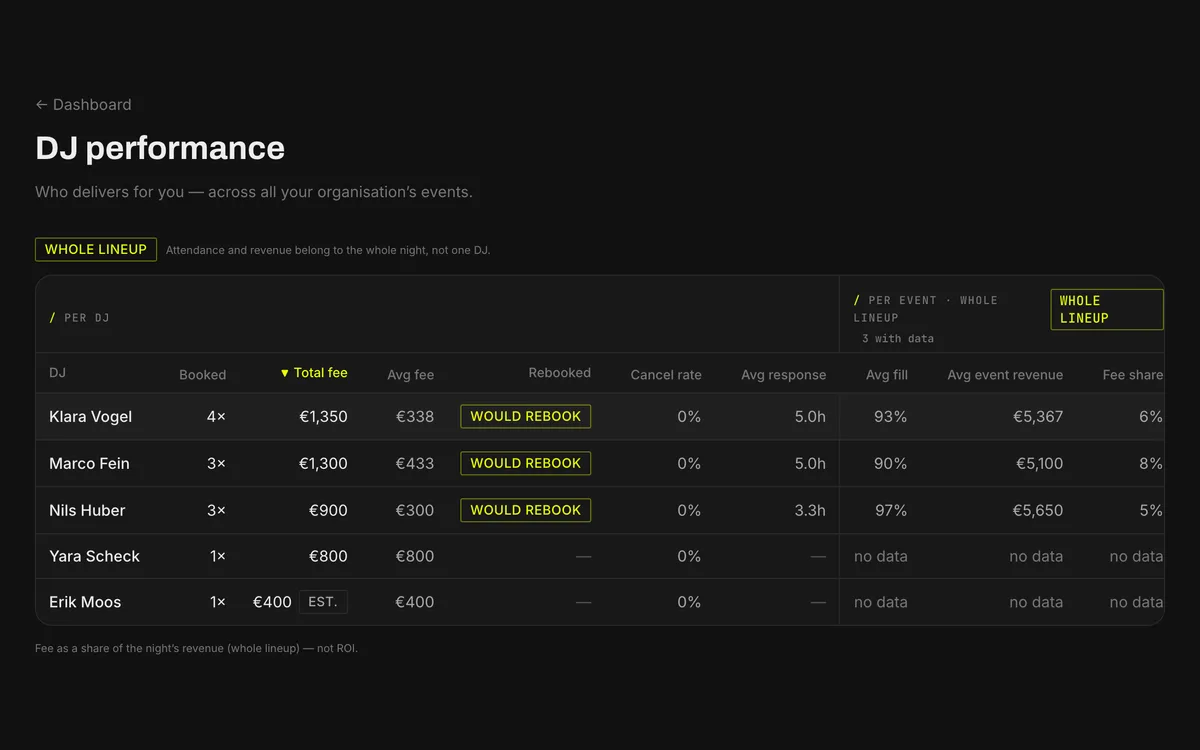
What Your Nights Did
After each night you note who played and how it went. The performance table then shows per DJ how often you booked them and their average fee, and how full the room was once three nights have an outcome.
Note: DJStrich is a booking facilitator, not a contract partner. The actual booking agreement (contract, fee, technical details) is handled outside the platform between the promoter and DJ, as with all conventional bookings. All platform communication may be reviewed by administration within the scope of platform monitoring (see Privacy Policy and Terms of Service).
Also In There
Running Order on Paper
Print the running order per floor for the booth, the bar and the door, with the crew shifts underneath if you plan them.
One-Click Rebooking
A DJ who has played for you rebooks from the old event in seconds, with the details filled in.
Venue and Message Templates
Save venue details and request text once, then reuse them on every booking after that.
Endorse Your DJs
One tap after a booking marks "would book again", publicly if you want.
API and MCP
Connect your own tools or an AI assistant through the promoter API and the MCP server.
How It Works
The first hour with it goes like this.
Create an Account
Email address or Google login. Free, no credit card, no sales call.
Set Up the Night
Create the event, add your floors or rooms, lay out the set times. Already run this night monthly? Import it from Resident Advisor or duplicate the last one.
Build the Line-up
Drag DJs into their slots, whether they are on the platform or you type the name in yourself. Move a time and the confirmed DJ sees it and approves.
Open the Guestlist and the Door
Set the caps, let DJs and crew add their own names, then send one link to whoever works the door. They check people in off the live list, no account needed.
Open a Call (optional)
Still a slot free? Open the event for applications. Approved DJs apply, you see them ranked by fit on genre, city and date, and you confirm directly instead of searching. It is also the cheapest way to give a local act the slot instead of booking the same three names again.
For Promoters
The First Five Crews Per City Pay Nothing, Permanently
The offer only stands while we are this small. We open one city at a time, and the first five crews in each city keep the core promoter features free for good. Not a trial, and not a discount that expires.
Free Forever
Events, floors, timetable, guestlist, door check-in, residents and your crew page. No card, no expiry date.
Visible on the Platform
Your logo in the partner strip on the homepage, and priority placement on your city hub.
You Shape It
You tell us what breaks and what is missing while we are still small enough to fix it the same week.
Open your first event
Your next night is the one to try it on. Register, set up the event, and put the line-up, guestlist and door in one place. No subscription, no hidden costs, and it works before anyone else in your city joins.
Free, no subscription.